Toddyi

New · AI planning

Say it once. Your day plans itself.

Write or say what you need to do. Toddyi turns it into tasks, fits them around your day, and reminds you right before each one starts.

  • Free plan, no card
  • 15 languages
  • Web, Windows, Linux, Android
  • Your data stays yours

Dentist tomorrow at 3pm, weekly report every Monday at 9

  • Dentist

    Tomorrow 15:00 1 h 10 min before

  • Weekly report

    Mondays 09:00 Every week 10 min before

Today's plan

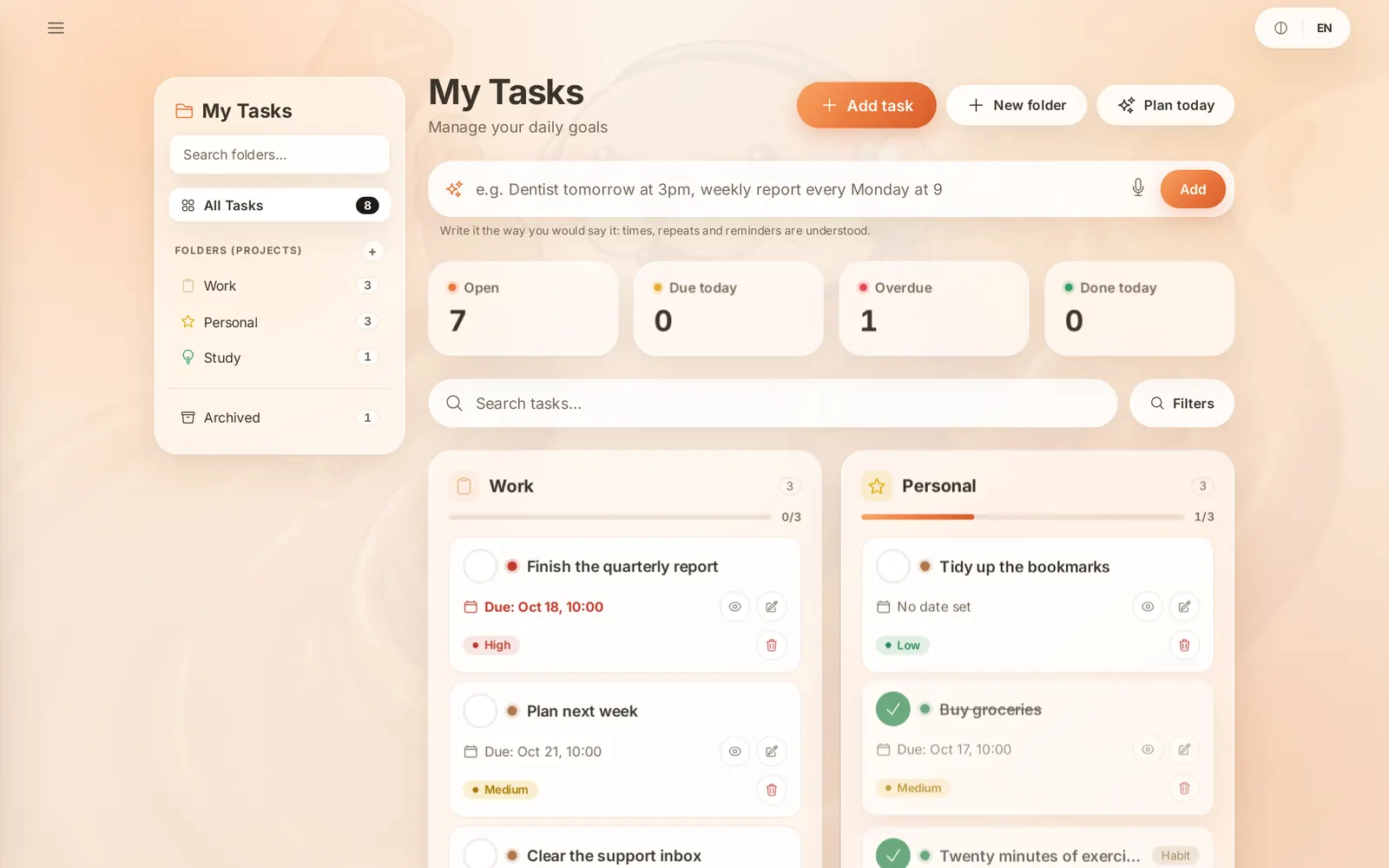
  1. Finish the quarterly report
  2. Clear the support inbox
  3. Plan next week

Runs where you work

  • Web
  • Linux
  • Command line
  • Windows
  • Android
  • iOS
  • macOS

From a thought to a finished day

Three steps, and the second and third take care of themselves.

  1. 1

    Say it

    Type a sentence or tap the microphone. Times, repeats, folders and reminders are understood.

  2. 2

    Plan it

    Today's plan places everything around your meetings and habits, most urgent first.

  3. 3

    Get reminded

    A notification arrives minutes before each task — on your phone, desktop or browser.

Everything a busy day needs

One account for tasks, time and learning — and they all talk to each other.

Add by sentence

Type or say “dentist tomorrow at 3, weekly report every Monday at 9”. AI turns it into tasks with times, repeats and reminders.

Dentist tomorrow at 3pm, weekly report every Monday at 9
Dentist· Tomorrow 15:00 Weekly report· Mondays 09:00

Today's plan

One tap fits your open tasks around what already has a time — overdue first, then the nearest deadline.

  1. Finish the quarterly report
  2. Clear the support inbox
  3. Plan next week

Reminders on time

A push to your phone or browser minutes before a task starts — and a daily note of what is due.

Task Management

Deadlines, start and end dates, priorities and tags, with Markdown notes and a write/preview toggle.

Projects & Board

Group tasks into folders, then work them as a list or drag them between columns on the board.

Calendar

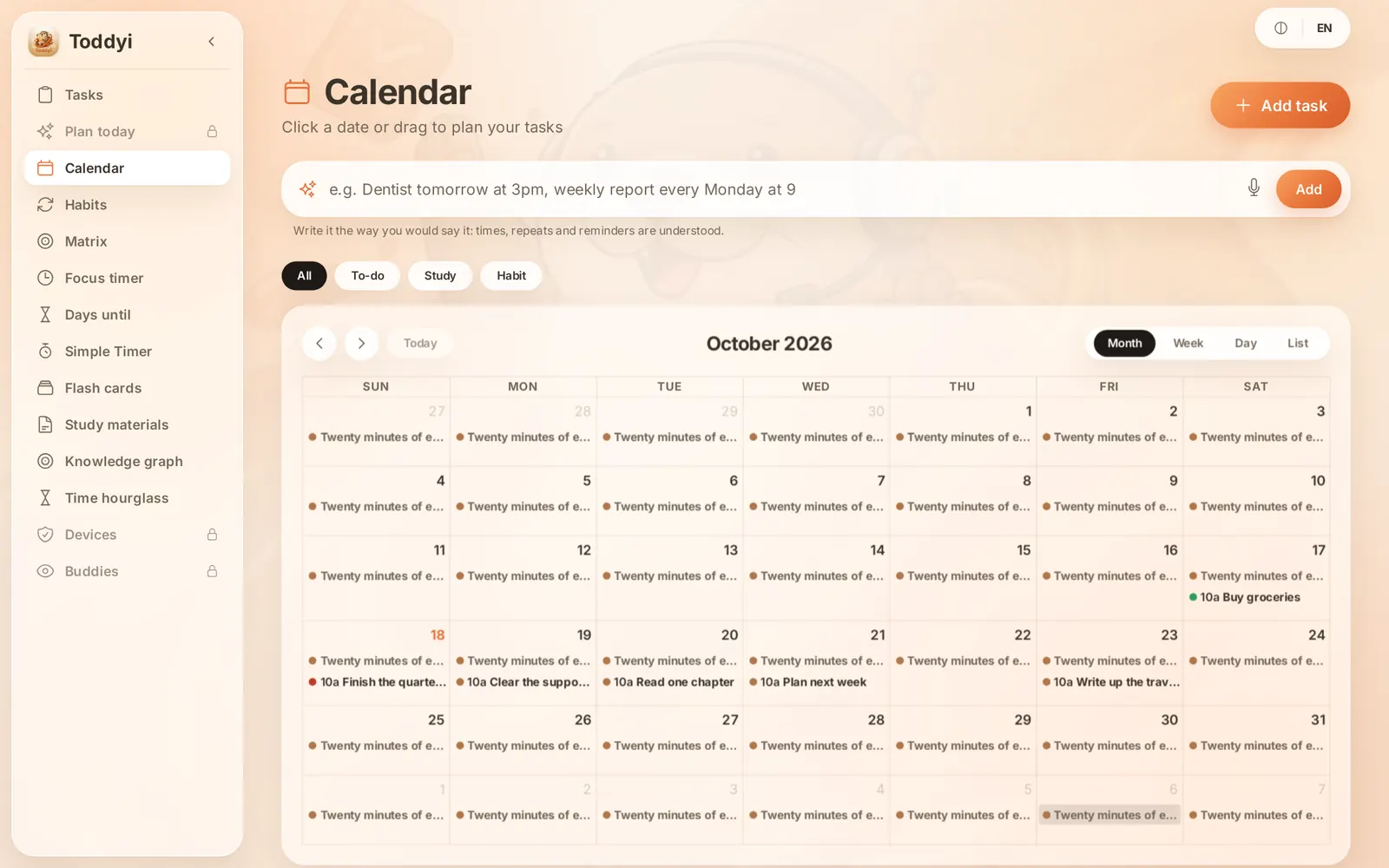
Plan on the month view — click a date or drag a task onto it.

Habit Tracker

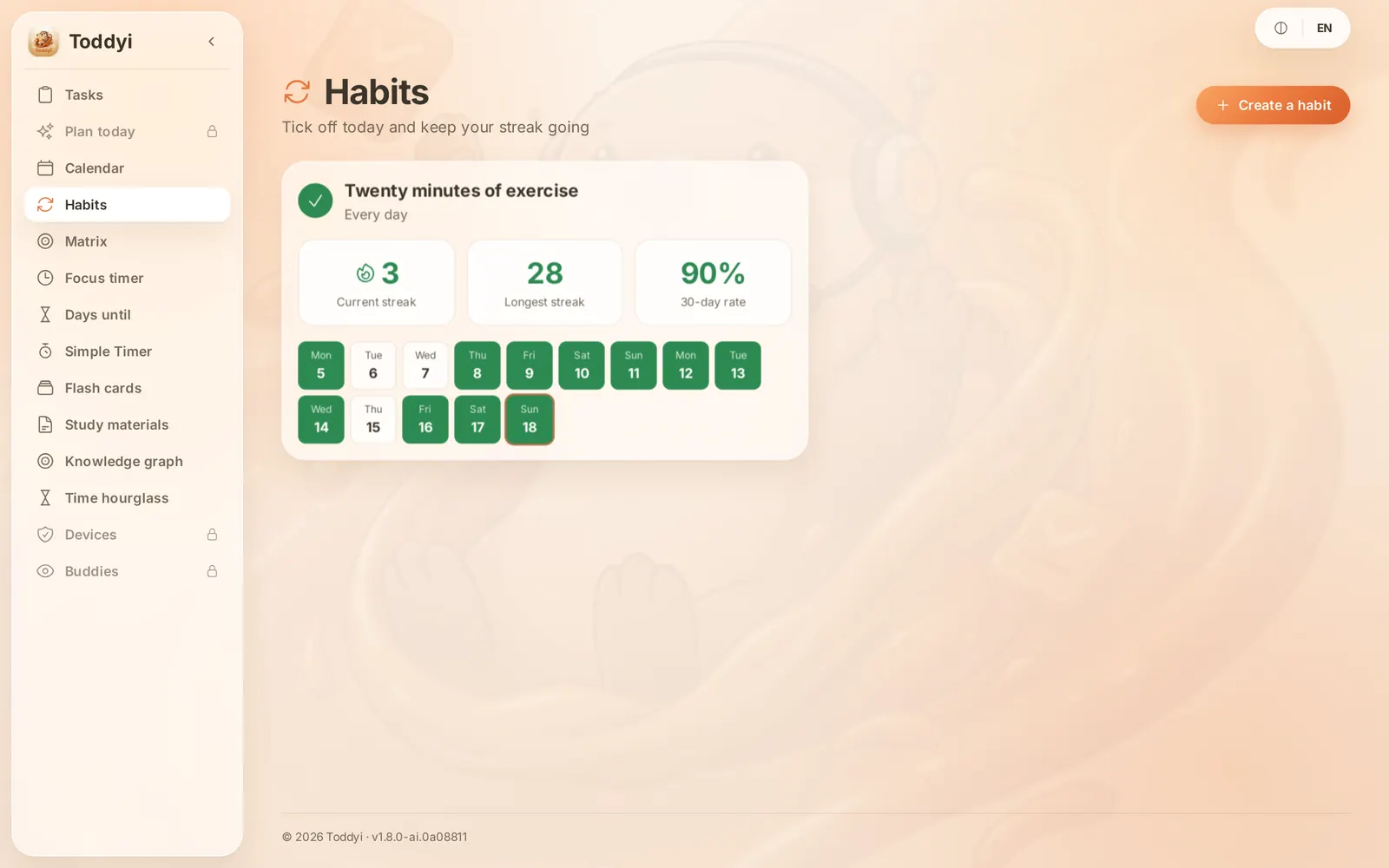
Daily or weekly habits with a weekly target, current and longest streak, and a 30-day rate.

Eisenhower Matrix

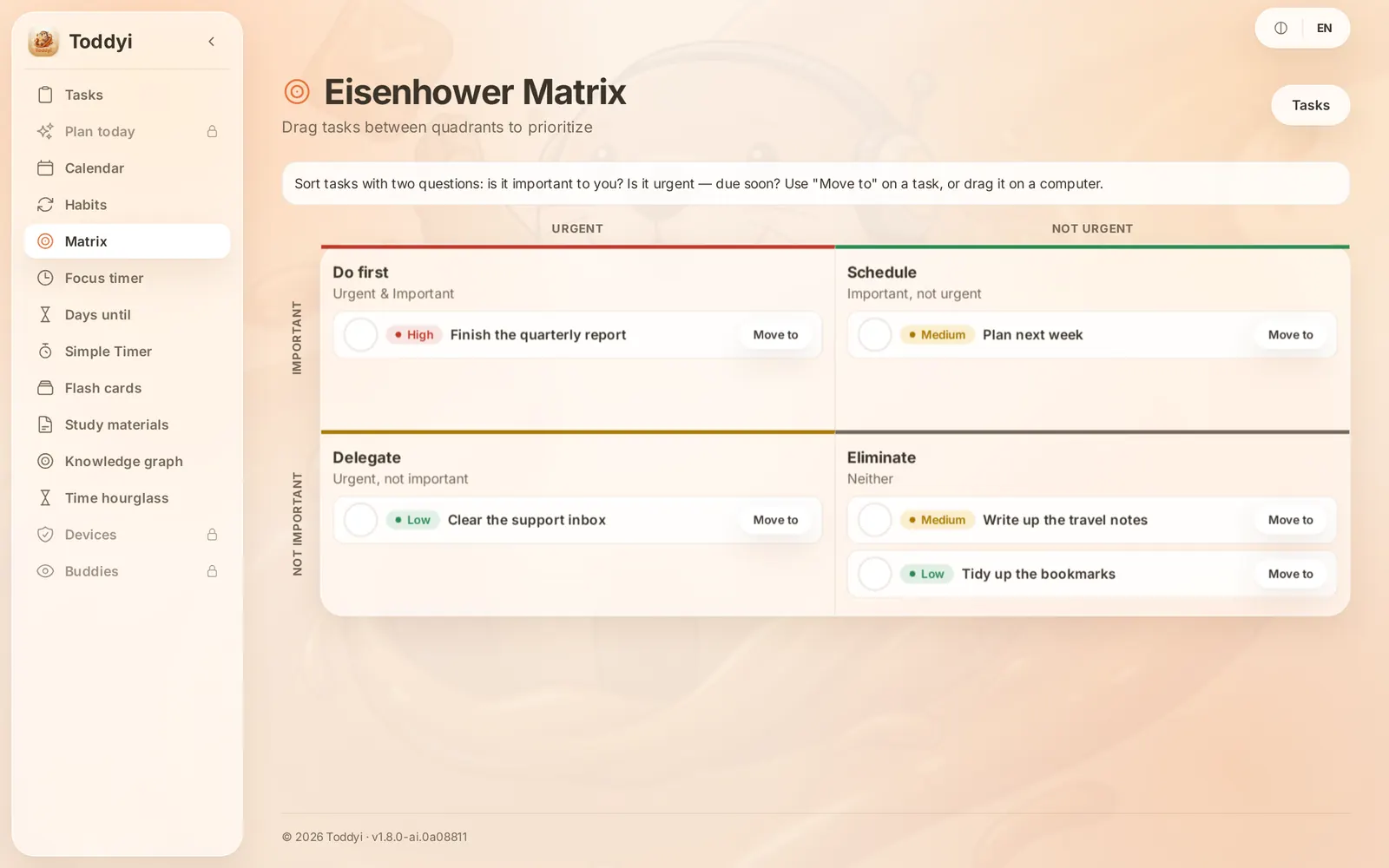
Sort by urgency and importance into Do, Schedule, Delegate and Eliminate, by dragging.

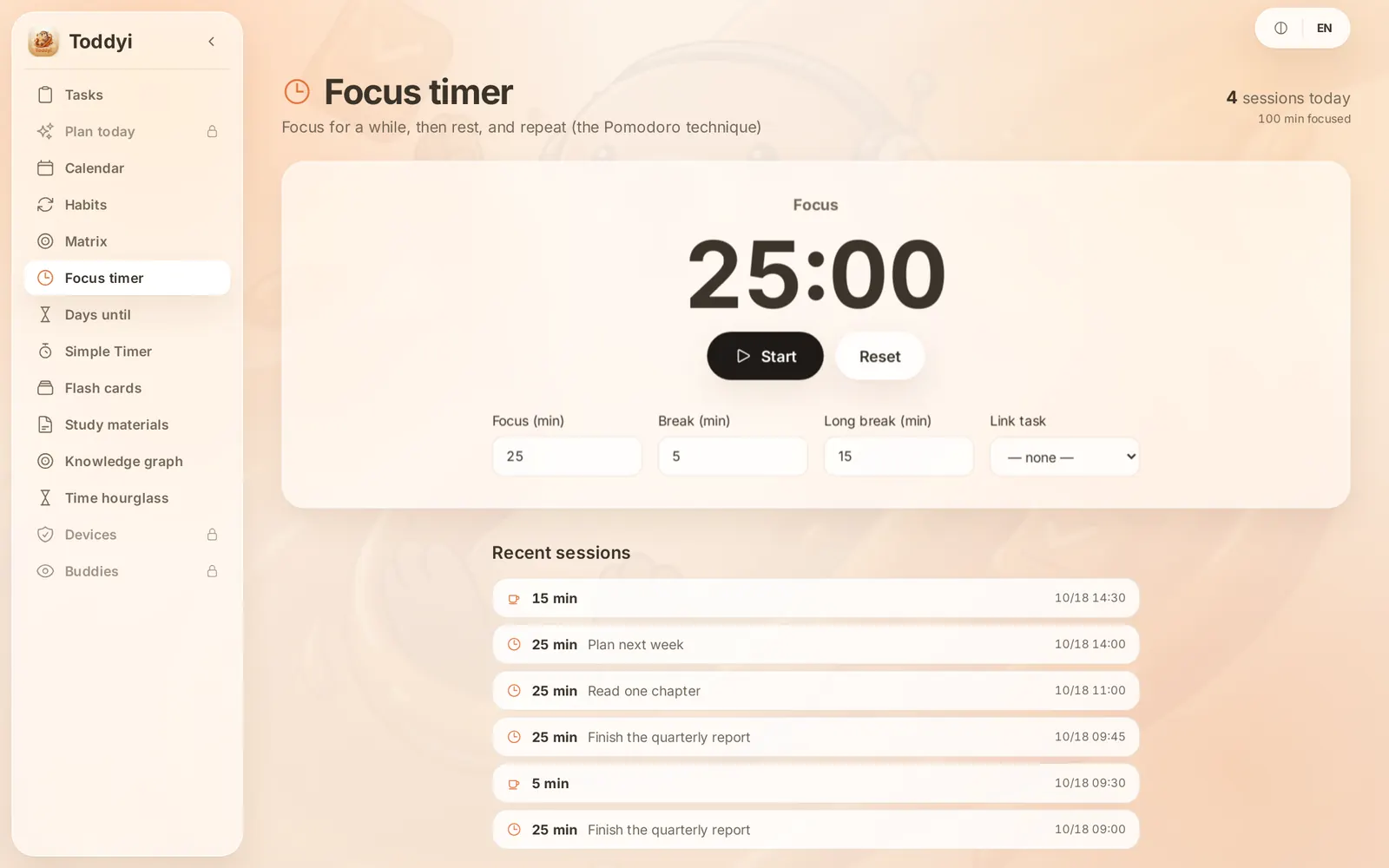
Pomodoro

Focus and break intervals you set, linked to a task, with today's sessions and focused minutes.

Timers

Saved stopwatches and countdowns, with laps — set one up once and reuse it.

Countdowns

Days remaining to the dates that matter, repeating every year when you want them to.

Life Hourglass

Days, and waking seconds, left from your date of birth and life expectancy.

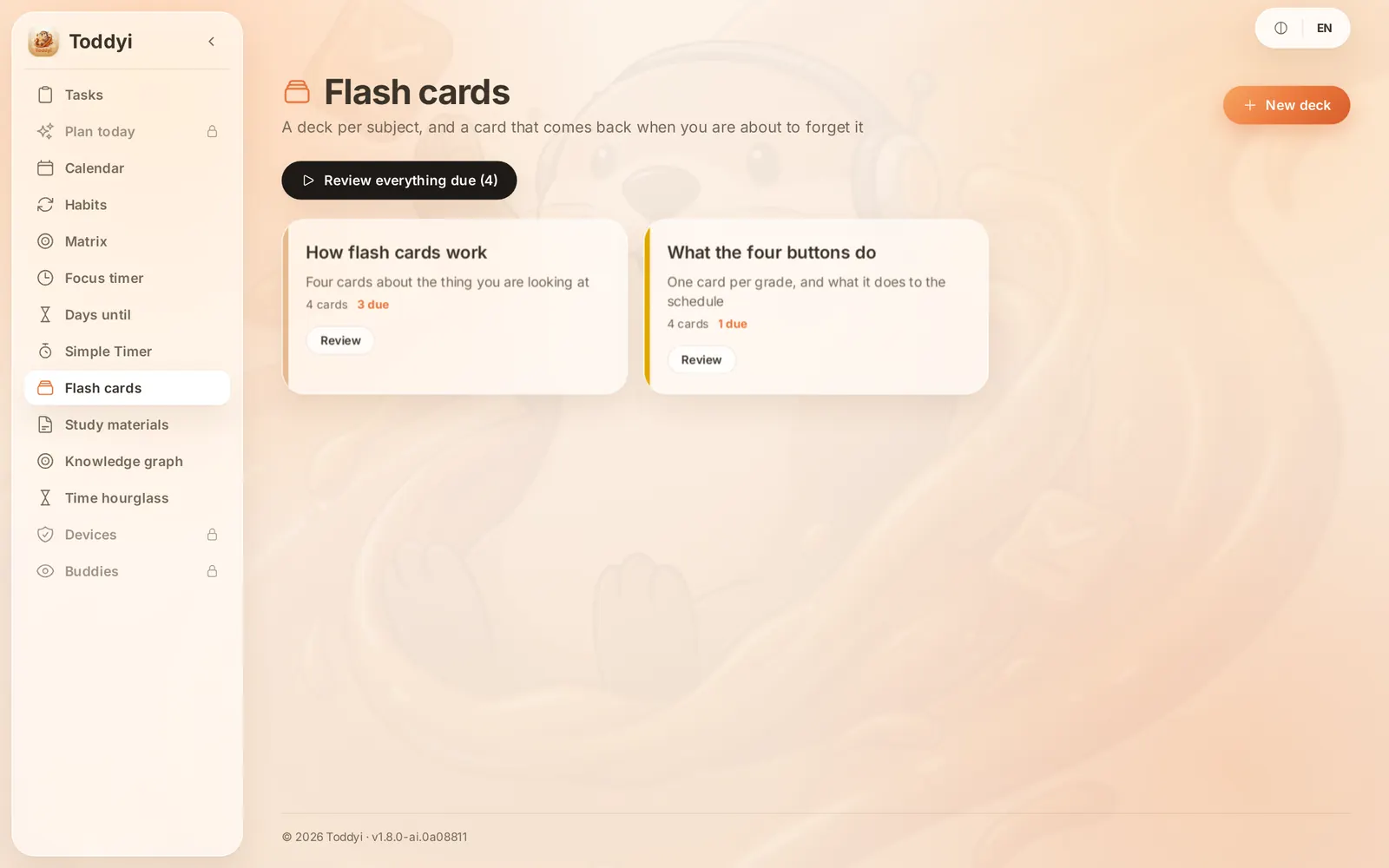
Flash cards

Spaced repetition decks with four grades, and AI that drafts cards from your notes.

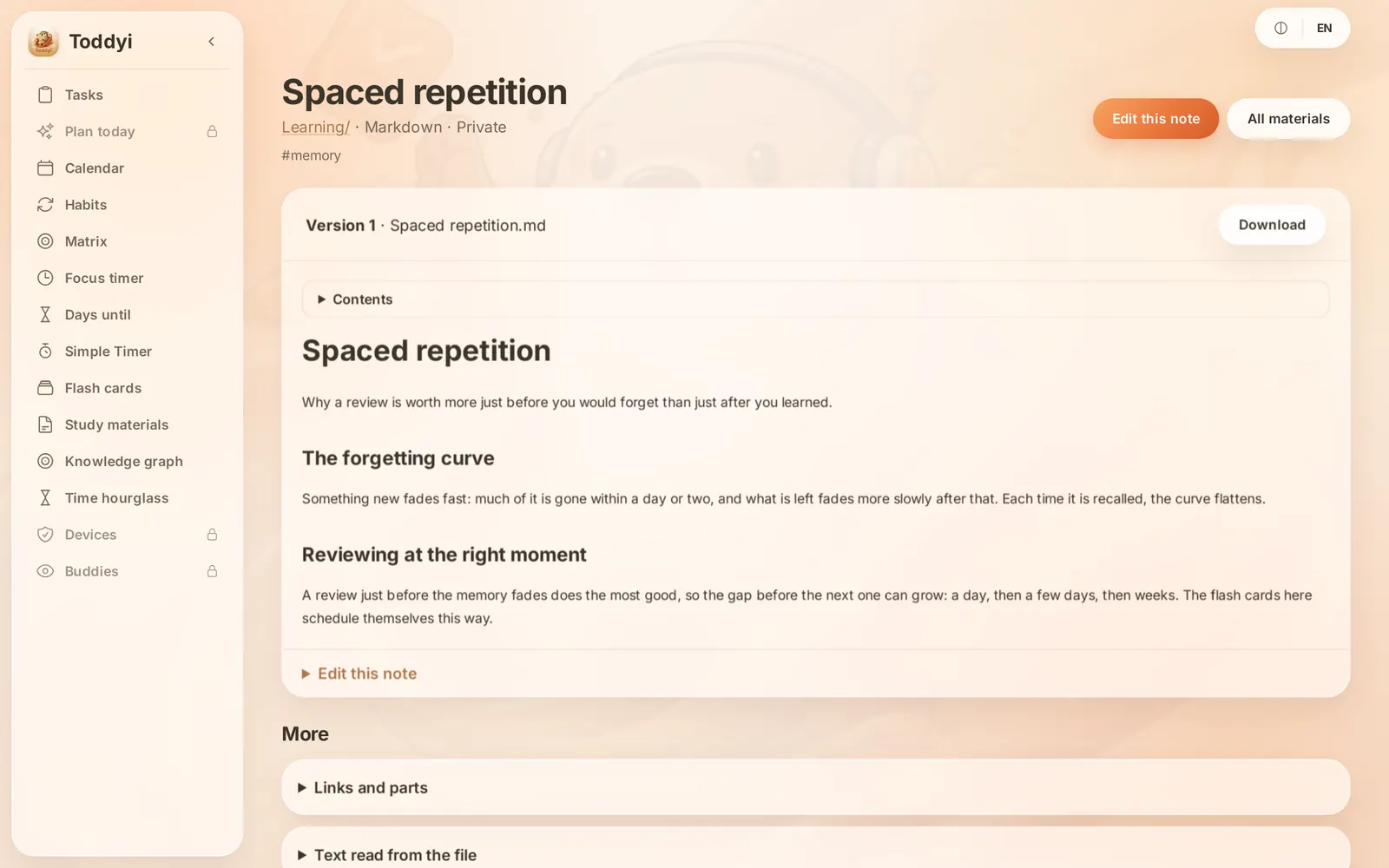
Study materials

PDFs, images, audio and Markdown notes with versions, search, folders and collections.

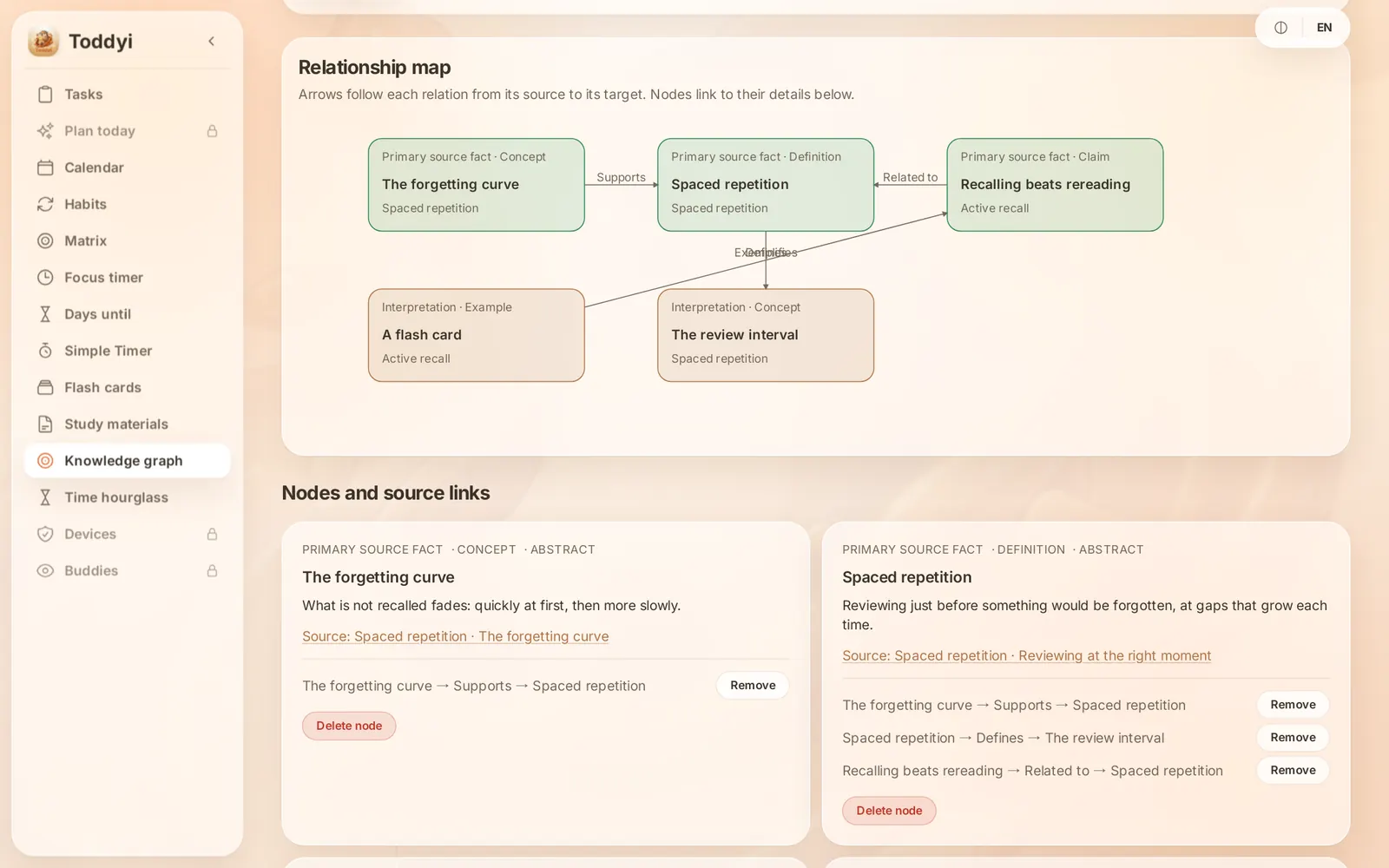
Knowledge graph

Link facts to the exact place in your material, and see how ideas support or contradict each other.

Fifteen Languages

Arabic, Chinese, English, French, German, Hindi, Indonesian, Italian, Japanese, Korean, Portuguese, Russian, Spanish, Turkish and Vietnamese — right-to-left included.

Account Security

Two-factor authentication with recovery codes, or sign in with Google.

Every screen below is the real app, filled with the sample workspace you can open right now.

Tasks
Calendar
Matrix
Habits
Focus timer
Flash cards
Study notes
Knowledge graph

Free to start, Pro when you need more

No trial clock and no card to begin. Upgrade only if you hit the limits.

Free

For getting your day in order.

  • Up to 30 open tasks, unlimited folders
  • AI quick add and planning: 20 a day
  • Calendar, habits, matrix and focus timer
  • 3 flash card decks with 100 cards
  • All 15 languages and every platform
Start free

Pro

For when Toddyi runs your whole week.

  • Unlimited tasks
  • AI quick add and planning: 200 a day
  • Unlimited decks and cards
  • Everything in Free
See Pro in the app

Where It Runs

One account, whichever way you open it.

Available

Web

Any modern browser. Nothing to install, and the same data as every other client.

Open

Available

Command line

Your tasks from a shell, a script or an AI agent (MCP). One file for Linux, macOS and Windows.

Install guide GitHub

Coming soon

Windows

A desktop window onto the same account, distributed through the Microsoft Store.

Microsoft Store

Coming soon

Android

A native wrapper around the same account, on its way to Google Play.

Google Play

Coming soon

iOS

The same account in a native iPhone build. Signed and running on a device; not submitted to the App Store yet.

Planned

macOS

The same desktop application. Not built yet.

Questions, answered

Is Toddyi really free?

Yes. The free plan has no time limit and needs no card. Pro lifts the limits on tasks, decks and cards, and allows 200 AI requests a day.

How does adding by sentence work?

Your sentence is read by an AI model that returns tasks with dates, repeats and reminders. Nothing else from your account is sent, and the sentence is not used to train models.

Which devices can I use?

Any modern browser, plus Linux packages and a command-line tool today. Windows and Android apps are on their way, and iOS is planned.

Will I get notified on my phone?

Yes. Allow notifications once in the browser or the app, and reminders arrive even when Toddyi is closed.

Can I try it without an account?

Yes. Open the app and you land in a sample workspace you can click through. Create an account when you want to keep things.

Can I take my data with me?

Your tasks are yours. You can delete your account and everything in it at any time from the account page.

FAQ Support & Contact

Toddyi, an Asian small-clawed otter wearing a headset, holding a tablet with a checkmark on it

Tomorrow can already be planned.

Write down one thing you have to do. Toddyi does the rest.

Meet Toddyi

Toddyi is an Asian small-clawed otter — not a cat, not a raccoon dog. Otters of his kind hold things in their paws, and he holds a tablet with your list on it.

Toddyi wears a headset and watches over your work as your agent. Out on Caramel Island he sends the occasional instruction from his tablet, to keep your concentration up.